Technology
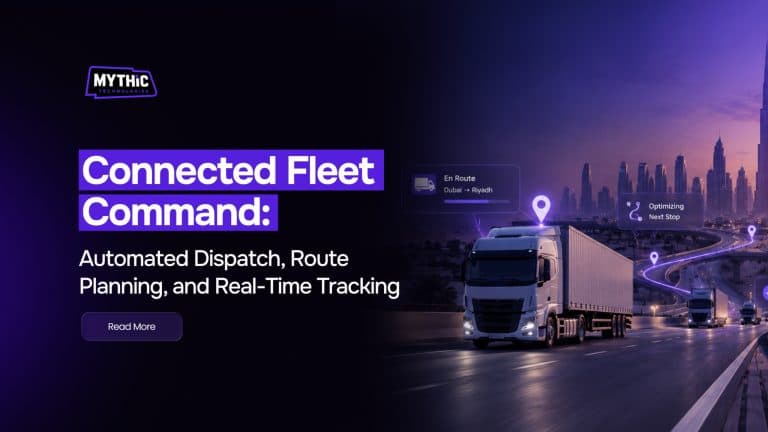
Connected Fleet Command: Automated Dispatch, Route Planning, and Real-Time Tracking
A fleet manager in Dubai or Riyadh doesn’t need convincing that dispatch is hard. What’s harder to pin down is why it stays hard even after the fleet buys tracking hardware and a spreadsheet template everyone swears they’ll actually use. The short answer is that tracking a truck and running a fleet are two different […]
A fleet manager in Dubai or Riyadh doesn’t need convincing that dispatch is hard. What’s harder to pin down is why it stays hard even after the fleet buys tracking hardware and a spreadsheet template everyone swears they’ll actually use.
The short answer is that tracking a truck and running a fleet are two different jobs. Knowing where a vehicle is doesn’t tell a dispatcher which job it should do next, or whether the route it’s on still makes sense given the traffic building up ahead.
This guide walks through what automated dispatch, route planning, and real-time tracking actually do when they work together, not as three separate purchases. It also looks at what fleet dispatch software GCC operators are adopting now looks like in practice, using Mythic Express as a working example of the shift throughout. None of this requires ripping out a fleet operation overnight.
Why Fleet Dispatch Still Runs on Guesswork
The Phone-and-Whiteboard Method
Plenty of fleets still dispatch the way they did a decade ago. A coordinator takes a call, checks a whiteboard or a shared spreadsheet for which driver is free, and calls that driver directly.
It works, in the sense that jobs do get assigned. It doesn’t scale. Add ten more vehicles or a second depot, and the same coordinator is now juggling calls while traffic changes underneath every decision they made an hour ago.
By the time a driver reports a delay, the coordinator has often already promised other customers a window that depends on it.
What Manual Dispatch Costs a Fleet
The cost rarely shows up as one big failure. It shows up as small ones, stacked daily.
- A driver sent across the city for a job two streets from another vehicle already nearby.
- A customer is given an arrival window based on a guess, not the route.
- A dispatcher spends half a shift on the phone instead of watching for problems on the road.
None of this looks dramatic on any single day. Over a month, it’s the difference between a fleet running close to capacity and one burning fuel and driver hours on avoidable detours.
What Automated Dispatch Actually Does
Matching Jobs to the Right Vehicle
Automated dispatch takes the guesswork out of one specific decision: which vehicle should take which job. It looks at driver location, vehicle capacity, current load, and remaining shift time, then assigns the job to whichever vehicle can actually complete it fastest.
That sounds simple until a fleet has thirty vehicles moving at once. A human dispatcher can hold maybe five or six variables in their head at a time. Software doesn’t have that limit, which is the whole point of using it.
Where the Human Dispatcher Still Matters
Automated dispatch isn’t meant to remove the dispatcher from the job. It’s meant to hand them a shortlist instead of a blank screen.
A system can suggest the best vehicle for a job in seconds. A person still needs to catch the exceptions, a driver who called in sick, a customer who needs a specific delivery window, a vehicle flagged for maintenance that shouldn’t take another long run today. The dispatcher still makes the final call when it matters.
In Mythic Express, that shortlist and the vehicle’s route show up on the same screen, so a coordinator isn’t flipping between a dispatch board and a separate route planner just to make the call.
A few specific pieces make up that dispatch screen:
- A ranked shortlist of available vehicles for each new job, sorted by real drive time rather than straight-line distance.
- Automatic flags on vehicles nearing a maintenance window or a driver approaching a shift limit, so a job doesn’t land somewhere it shouldn’t.
- One assignment action that both books the job and slots it into that vehicle’s existing route, instead of a second step to re-sequence stops afterward.
Route Planning Beyond Point A to Point B
Multi-Stop and Multi-Vehicle Planning
Route planning gets described as if it’s just mapping software with a fleet logo on it, but a single delivery route rarely has one stop. Most fleet routes carry eight, fifteen, sometimes thirty stops in a shift, and the order they happen in changes the total distance driven by a lot.
Good route planning software doesn’t just find the shortest path between two points. It sequences an entire day’s stops to minimize total distance and time, then reshuffles that sequence the moment a new job gets added mid-shift.
Adjusting for GCC Road and Traffic Patterns
Routes built for one city rarely translate cleanly to another, and that’s especially true across the Gulf. A route planning tool that assumes flat, predictable traffic will get outrun by the reality of Sheikh Zayed Road at 5 p.m. or a cross-border haul between the UAE and Oman that has to account for a checkpoint stop.
Extreme heat matters too. A route that pushes a refrigerated vehicle through a long midday stretch in July has different constraints than the same route in December. Software that adjusts for these patterns, rather than treating every day as identical, is a meaningful part of what separates working fleet dispatch software GCC teams from a route planner built somewhere else and localized after the fact.
Mythic Express’s route logic was built around this kind of pattern from the start, rather than adapted for the region after the fact. In practice, that means the planner accounts for:
- Rush-hour corridors like Sheikh Zayed Road, weighted by time of day rather than a flat traffic average.
- Cross-border stops between the UAE, Saudi Arabia, and Oman, including typical checkpoint dwell time.
- Longer midday driving limits for temperature-sensitive loads during the hottest stretch of the year.
What Real-Time Tracking Should Show
Live Location vs Live Status
“Real-time tracking” gets used to describe two different things, and the difference matters. One is knowing where a truck is on a map right now. The other is knowing what’s actually happening with the job that truck is carrying.
A dot moving on a screen tells a dispatcher very little on its own. Knowing that stop four is running twelve minutes behind, and why, is what actually lets someone act before a customer calls to ask where their delivery is.
Why the Time Lag Matters
The gap between an event happening and someone seeing it is where most of the value of tracking either shows up or disappears. A delay that gets flagged while the driver is still five stops away can be fixed with a quick reroute. The same delay found at day’s end is just a note nobody can act on.
Mythic Express feeds a flagged delay straight back into the plan for the rest of that vehicle’s route, so a dispatcher sees the knock-on effect right away instead of finding it stop by stop. On the tracking side, that view is built from a few pieces working together:
- Live GPS position updated continuously rather than on a delayed batch refresh.
- Stop-level status, so a job shows as en route, delayed, or completed instead of just a moving dot.
- Photo, signature, or code capture at the point of delivery, logged against that stop automatically.
| Tracking Layer | What It Shows | Who Acts On It |
| GPS location | Where each vehicle is right now | Dispatcher, customer service |
| Stop status | Whether a delivery is completed, delayed, or attempted | Dispatcher, driver |
| Route deviation | When a driver strays from the planned route | Dispatcher, fleet manager |
| Proof of delivery | Signature, photo, or code confirming drop-off | Customer service, finance |
These layers only earn their keep together, since location without status just shows movement, and status without proof of delivery leaves a billing dispute with no evidence either way.
Signs Your Dispatch Process Still Needs Fixing
A few habits tend to show up again and again in fleets still dispatching manually:
- Phone-based assignment:
Jobs get handed out by call or radio instead of through a system that logs the decision. - Guessed ETAs:
Arrival windows are based on a coordinator’s experience rather than the live route. - Reactive rerouting:
Drivers find out about traffic or road closures from the radio, not the software. - End-of-day reporting only:
Delays and exceptions surface in a report the next morning, long after they could have been fixed. - No visibility for customer service:
Support staff have to call dispatch to answer a basic where’s my delivery question.
None of these is a crisis by itself. Together, they’re a clear sign the fleet is running on effort instead of a system built for it, and exactly what a platform like Mythic Express is designed to catch early.
Choosing Fleet Dispatch Software for GCC Operations
Software built for a fleet in Europe or North America doesn’t always fit how logistics runs across the Gulf. A few things matter more here than a feature list suggests:
- Arabic and English support across dispatcher, driver, and customer-facing screens.
- Route logic that accounts for regional heat, cross-border checkpoints, and city-specific traffic patterns.
- Local or regional data hosting.
- Support teams working in Gulf time zones, not a help desk on another continent.
This is usually the real test when comparing fleet dispatch software GCC vendors are pitching. It isn’t which platform lists the most features. It’s which one was actually built for how driving, traffic, and delivery expectations work in this region. Mythic Express, built specifically for Gulf fleets, covers this list directly rather than as an add-on: Arabic and English run on the same dispatcher and driver screens, hosting sits in the region, and the support desk works Gulf hours.
Why a Generic Platform Falls Short
A platform that needs months of customization before it handles Arabic script or a Gulf-specific route pattern isn’t really regional software. It’s general software with a longer setup list.
A fleet manager evaluating options is usually better off asking a vendor to show the Arabic interface and a live GCC route in a demo, rather than taking a feature list at face value.
Getting Started Without Disrupting Daily Dispatch
Switching to automated dispatch doesn’t have to mean stopping operations for a week to relearn everything. A steadier approach looks like this:
- Start with one depot or route group. Prove the system on a smaller slice before rolling out fleet-wide.
- Run it alongside the old process briefly. Keep the whiteboard or spreadsheet running until dispatchers trust the new assignments.
- Train dispatchers on the exceptions, not just the basics. The software handles routine matching; people still need to handle what it flags as unusual.
- Add route planning once dispatch is stable. Fixing job assignment and route sequencing at once makes it harder to tell which change caused which result.
- Turn on live tracking last. By this point dispatchers already trust the assignments and routes, so tracking data adds context instead of one more thing to learn at once.
Rushing this order is the most common reason rollouts stall. A fleet that changes dispatch, routing, and tracking in the same week usually can’t tell which part caused a problem when one shows up.
Drivers adjust faster than most managers expect, too, as long as they aren’t asked to learn three new habits on the same day their pay depends on hitting delivery windows.
Fleets onboarding onto Mythic Express generally follow this same order: dispatch first, route planning once assignments are trusted, tracking switched on last.
Wrapping Up
Automated dispatch, route planning, and real-time tracking solve different problems, but they only pay off fully when they work as one connected process instead of three separate tools a coordinator has to check by hand.
Fleets across the Gulf are increasingly choosing platforms built around that connection rather than bolting a tracking app onto a dispatch process that hasn’t changed in years. Mythic Express is one example of what that looks like when dispatch, planning, and tracking share the same data instead of three separate screens.
The starting point doesn’t need to be dramatic. Most fleets don’t need to overhaul dispatch, routing, and tracking in the same month. They need to fix the one handoff costing them the most time right now, whether that’s job assignment or route sequencing, and build from there. The rest of the fleet can catch up once that one piece is working.